Playbook
How to bring AI into your small business
The biggest barrier to AI adoption isn't cost or complexity — it's "not knowing where to start," cited by over half of small business owners. This is the practical, no-hype playbook.
Last updated: July 4, 2026Step 1 — Find your first use case
Write down the five tasks that consume the most hours in your week. Then score each one on two questions: Is it repetitive? (same shape every time) andIs a mistake cheap? (easy to catch and fix before it reaches a customer). Your first AI use case is the task that scores highest on both.
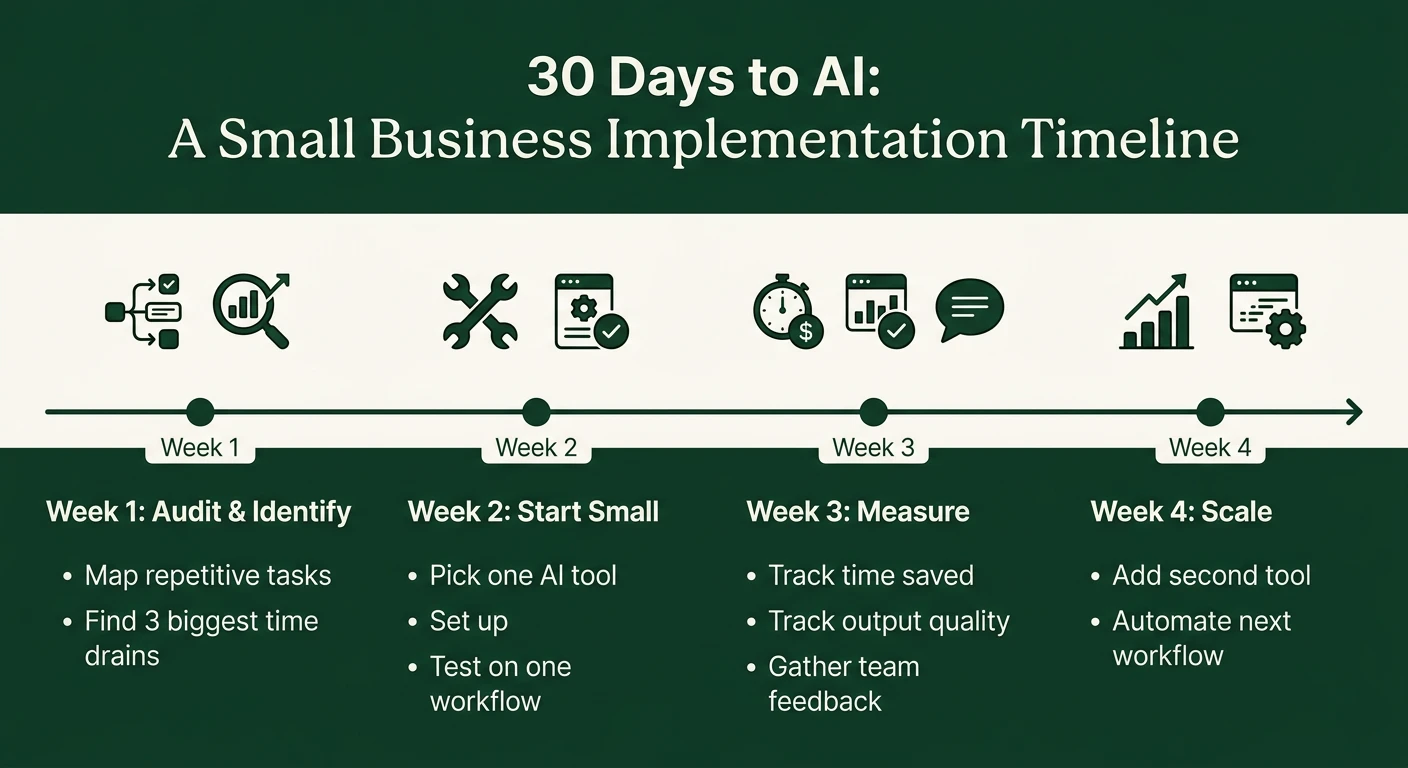
For most small businesses, it's one of these — the same three the data says everyone starts with:
- Marketing content — social posts, emails, product descriptions (45–68% of AI-using SMBs)
- Customer communication — repeat questions, review responses, follow-ups (37–52%)
- Admin & bookkeeping — categorization, summaries, drafting documents (35–47%)
Step 2 — Run the 30-day test
Pick one general assistant — ChatGPT or Claude (free tiers work; paid is ~$20/month) — and use it on your chosen task every time it comes up for 30 days. Don't buy anything else yet. Track one number: hours saved per week. That number decides everything that follows.
Step 3 — Write down what works
When you find a prompt or workflow that saves real time, save it in a shared doc: the exact prompt, an example input, an example output. This turns a personal trick into a business asset — it survives staff turnover and makes training the next person trivial.
Step 4 — Expand one use case at a time
After the first task shows measured savings, add the second-highest scorer from your Step 1 list. This is also the point to look at AI features already inside tools you pay for — QuickBooks, Canva, your email platform, your scheduling software — before adding new subscriptions. See the use case library for what's working by function.
Step 5 — Set two rules for your team
- A human reviews anything customer-facing. AI drafts; people send.
- No sensitive customer data in consumer AI tools. Names, financials, health information — keep them out of free chatbots. If a task needs that data, that's when you evaluate business-tier tools with data agreements.
What NOT to do (the money-wasters)
- Don't start with a custom chatbot for your website. It's the most-regretted first purchase — high setup effort, visible failures.
- Don't buy an "AI agency" retainer before the 30-day test. You can't evaluate vendors until you understand what AI does for your specific work.
- Don't automate a process you haven't fixed. AI accelerates whatever exists — including broken workflows.
- Don't skip the measurement. "It feels faster" is how subscriptions pile up. Hours saved per week or it didn't happen.
What to spend
| Stage | Monthly spend | What you're paying for |
|---|---|---|
| Month 1 (test) | $0–20 | One general assistant |
| Months 2–6 (expand) | $20–100 | Assistant + AI features in existing tools + maybe one specialist tool |
| Beyond (embed) | $100–500 | Automation platform, business-tier data protections, team seats — only after measured ROI |